


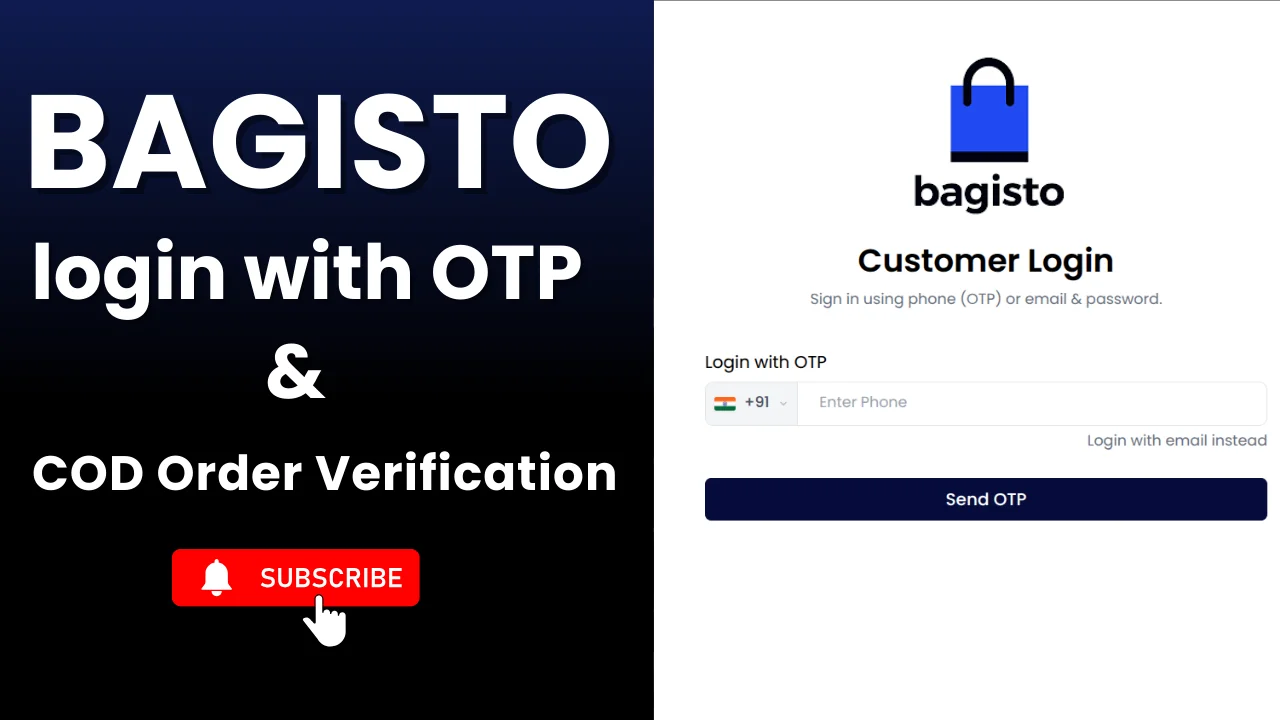
SMS OTP Login, Registration & COD Verification for Bagisto – Complete Guide
In today’s Indian eCommerce market, security and trust play a very important role. Many online stores face issues like fake registrations, spam accounts, and Cash on Delivery (COD) fraud. To solve these problems, OTP-based authentication is one of the most reliable solutions.
SMS OTP Login, Registration & COD Verification for Bagisto by Vfix Technology is a premium Bagisto package that helps store owners secure their website using mobile number verification via OTP, powered by the MSG91 SMS gateway.
This blog explains the features, benefits, prerequisites, and step-by-step setup of the package in an easy and practical way.
Why Use OTP Login & COD Verification in Bagisto?
Most Indian customers prefer mobile numbers over email IDs. OTP verification ensures:
-
Genuine users only
-
Reduced fake sign-ups
-
Lower COD order rejection
-
Better delivery success rate
-
Higher customer trust
This package is specially designed for Indian eCommerce stores running on Bagisto.
Key Features of the Bagisto SMS OTP Package
This package provides complete OTP-based authentication and verification:
🔐 Login with OTP
Customers can log in using their registered mobile number and OTP, without remembering passwords.
📝 Register with OTP
New user registration is allowed only after successful OTP verification, ensuring valid mobile numbers.
📦 Cash on Delivery (COD) Verification via OTP
Before confirming a COD order, an OTP is sent to the customer’s phone to verify order authenticity, reducing fake COD orders.
📱 Phone Number Update with OTP
If a customer changes their phone number from the profile section, OTP verification is required to maintain unique accounts.
🤖 Google reCAPTCHA Support
Google CAPTCHA integration helps prevent spam and bot registrations.
Prerequisites Before Installation
Before configuring the package, make sure the following are ready:
1. Sender ID Requirement (Important for India)
If your store is targeting Indian customers, having a Sender ID is mandatory as per DLT regulations.
-
You need to purchase a Sender ID from an approved telecom provider such as Airtel, Jio, Tata, or any other authorised provider
-
The approximate cost is ₹5,900 (may vary by provider)
-
The Sender ID allows SMS to be delivered using your brand name
👉 For countries other than India:
You can send SMS directly using MSG91 without a Sender ID, or you may purchase a virtual number directly from MSG91 if required.
2. OTP Template Approval (India Only)
For Indian SMS delivery:
-
Once your Sender ID is approved, you must create an OTP SMS template
-
Submit the template for DLT approval
-
OTP messages will work only after the template is approved
Example OTP Template:
<#> Your {{brand_name}} login OTP is {{otp}}. Do not share it with anyone.
3. Link Sender ID or MSG91 Route
After approval:
-
Link your approved Sender ID with MSG91
OR -
Configure your MSG91 SMS route (for non-India use cases)
This step ensures proper SMS routing and delivery.
4. Get MSG91 Credentials
From your MSG91 dashboard, collect the following:
-
Auth Key (used to authenticate API requests)
-
OTP Template ID (generated after template approval)
5. Configure Credentials in Bagisto Package
Finally:
-
Add the MSG91 Auth Key
-
Add the Approved OTP Template ID
inside the Bagisto SMS OTP Verification package settings.
Step-by-Step: Installation SMS OTP & COD Verification Package in Bagisto
Follow these steps carefully:
Step 1: Go to packages Directory
Open terminal and navigate to your Bagisto root directory:
Step 2: Create Vendor & Package Folder
Create the required folder structure:
mkdir -p Vfixtechnology/BagistoSmsVerification
Step 3: Upload Package Code
Download the BagistoSmsVerification package and upload it to:
packages/Vfixtechnology/BagistoSmsVerification
Step 4: Register Service Provider
Open: bootstrap/providers.php
Add this line:
Vfixtechnology\BagistoSmsVerification\Providers\BagistoSmsVerificationServiceProvider::class,
Step 5: Update composer.json
In your composer.json, under autoload > psr-4, add:
"Vfixtechnology\\BagistoSmsVerification\\": "packages/Vfixtechnology/BagistoSmsVerification/src"
Step 6: Dump Autoload
Run:
composer dump-autoload
Configure SMS OTP Package in Admin Panel
After installation:
-
Go to Bagisto Admin Dashboard
-
Navigate to Settings → SMS Verification
-
Enter:
-
MSG91 Auth Key
-
MSG91 OTP Template ID
-
Once saved:
-
OTP login & registration becomes active
-
Default login/register pages are overridden
-
COD order verification via OTP can be enabled
Important Note on Social Login
This package supports social login, but using both OTP login and social login may create duplicate customer accounts.
👉 Recommendation: Disable social login to maintain one unique customer per mobile number.
Clear Cache (Mandatory)
After configuration, clear cache:
php artisan optimize:clear
Final Thoughts
The SMS OTP Login, Registration & COD Verification for Bagisto package by Vfix Technology is a must-have solution for Bagisto ecommerce stores. It improves security, prevents COD fraud, and builds customer trust—all while keeping the user experience simple.
If you are serious about scaling your ecommerce store in India, this OTP solution is the right investment.
🔗 Purchase Package Link
👉 Buy SMS OTP Login & COD Verification for Bagisto by Vfix Technology:
https://rzp.io/rzp/bagisto-otp-module
For installation support or customization, you can contact Vfix Technology directly.
📞 Contact & Purchase Support
Ready to secure your Bagisto store with OTP authentication and COD verification?
Get in touch with Vfix Technology today 👇
📧 Email: info@vfixtechnology.com
📞 Phone: +91 8447525204
💬 WhatsApp: https://wa.me/918447525204
Tags
Share :